macOS Manual For Beginners
This post was published 5 years ago. Download links are most likely obsolete. If that's the case, try asking the uploader to re-upload.
MP4 | Video: AVC 1728x1080 | Audio: AAC 48KHz 2ch | Duration: 1h 18m | 920 MB | Language: English
Become a Mac pro in 60 minutes + lots of keyboard shortcuts for better handling in everyday and professional life ✅
Own research = zero
No need to do your own research into what you're used to and how to transfer it to your Mac.
Adé! Frustration
Save yourself the frustration of switching to a Mac and learn how to use it correctly and confidently from the start.
Save money
No additional contributions for travel, accommodation or training fees like in a 1:1 coaching.
Time saving
You will soon be working much more effectively and productively with the tips from the pro's. Every click is now right.
Hidden functions
Discovering and applying hidden features in the operating system will soon make you a Mac pro.
Are there any specific requirements or prerequisites for this course?
You should be able to operate a computer (basic knowledge)
Content Overview
Lesson 1: Learn how to store and manage pictures, videos, and documents in Finder.
Lesson 2: Learn to customize basic system settings.
Lesson 3: After this lesson, you'll get the most out of your Mac with the trackpad.
Lesson 4: Learn to confidently apply advanced system settings.
Lesson 5: Learn how to customize the menu bar.
Lesson 6: Learn the most important Mac keyboard shortcuts for effective productivity.
Lesson 7: Learn to manage, install, and uninstall applications.
Lesson 8: Learn about useful tools to make your day easier.
Lesson 9: Learn what the cloud is for, how to activate it, and how to use it properly.
Lesson 10: Learn about the Spotlight search and advanced search features.
Lesson 11: Learn how to use the pre-installed Office applications.
Lesson 12: Learn how to configure the mail client and send your first mail.
Lesson 13: Learn to customize Safari to your personal taste.
What is the target group?
Mac switcher
Mac beginner
Seniors
Computer course interested people
Mac owner
Companies that are converting their employees to a Mac
PC Switch to Mac
MacBook owner
MacBook Air owner
Macbook Pro owner
iMac Owner
If you don't have a Mac yet, but are considering buying a Mac.
To prepare before you buy a Mac.
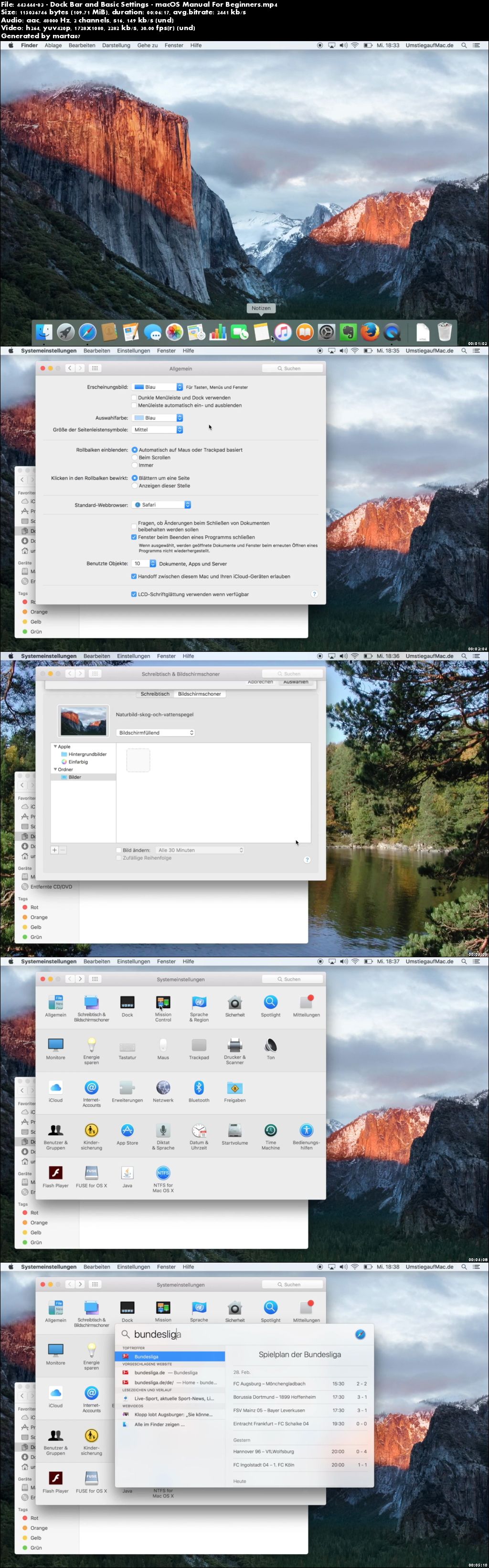
Screenshots
Quick check before we show the links
Helps us keep automated scrapers from hammering the filehosts.