Complete Guide to GIMP Photo Manipulation
This post was published 6 years ago. Download links are most likely obsolete. If that's the case, try asking the uploader to re-upload.
Video: .MP4, 1280x720 30fps | Audio: AAC, 48 kHz, 2ch | Duration: 1h 58m
Genre: eLearning | Language: English | Size: 2,12 GB
A collection of GIMP tutorials directed towards learning Photo Manipulation techniques inside of GIMP. Getting the G'MIC plugin will be needed for some tutorials since it enhances GIMP with over 500 extra effects and filters. You can find that here http://gmic.eu/gimp.shtml
Here's a look at what's in the course
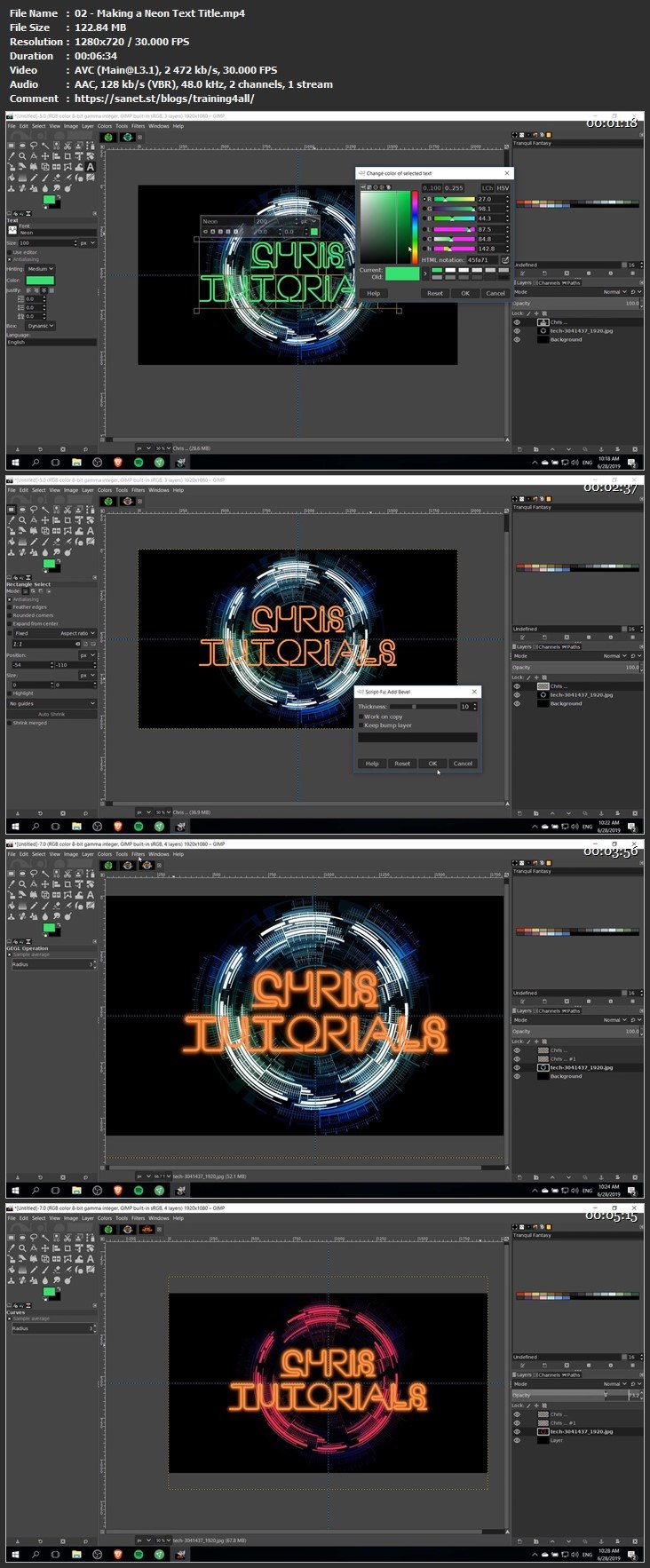
Learning how to create cool titles with glow effects and online fonts
Removing objects from photos with little to no remaining trace
Adding in objects that look more like they belong the scene with a combination of perspective tool and color composite modes.
Using masking tools in order to make effects more realistic
Some tool explanations for beginners as well such as the paintbrush tool and using layers in GIMP
Homepage
Screenshots
Please check my blog to get more stuff every day!Newest course ==>> Training for all <<== Newest course
Huge book blog ====>> Books <<==== Huge book blog
Latest OS ===>> Share for Progressive <<=== Latest OS
Best Graphics ===>> GraphicsNo1 <<=== Best Graphics
Quick check before we show the links
Helps us keep automated scrapers from hammering the filehosts.