Create a Themeable Site Design in Figma
This post was published 4 years ago. Download links are most likely obsolete. If that's the case, try asking the uploader to re-upload.
MP4 | Video: h264, 1920x1080 | Audio: AAC, 44.1 KHz
Language: English | Size: 1.49 GB | Duration: 1.4 hours
Figma is a superb vector-based tool for interface design. As part of its suite of functionality it includes a “styles” system, whereby various colors, gradients, strokes, shadows, and so on can be saved and reused.
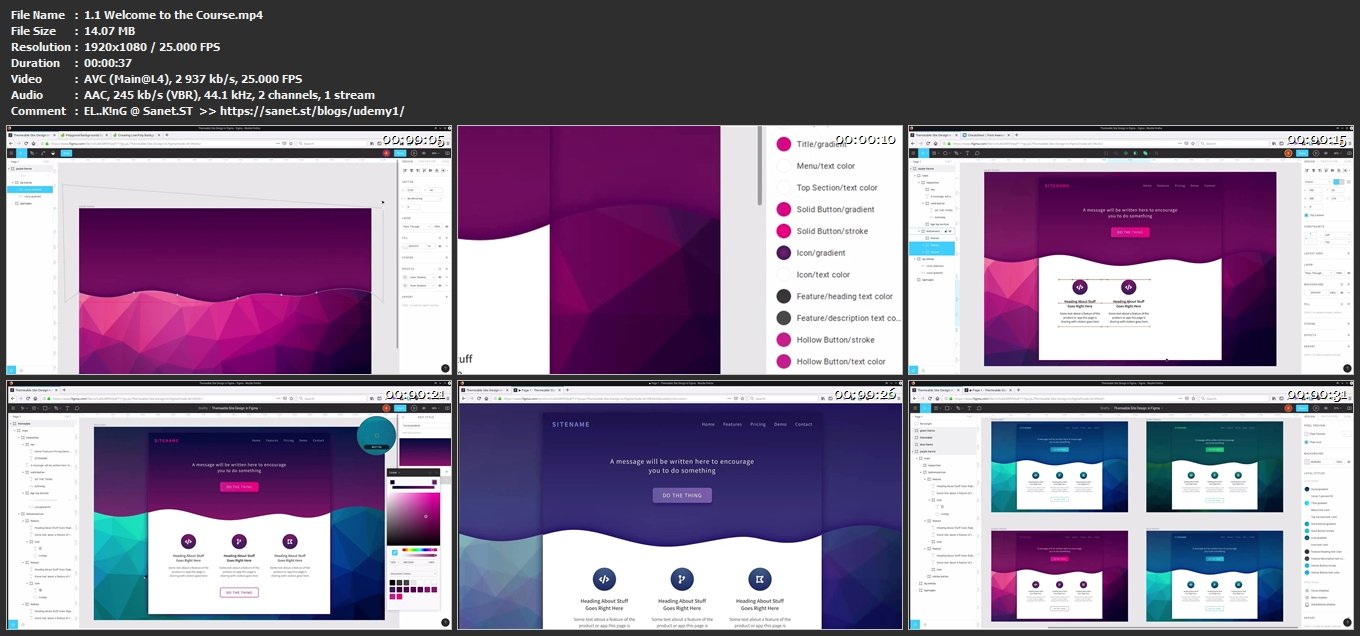
In this course, we’ll be creating a simple website design, and we’ll use Figma’s styles system to make it themeable into multiple different-colored versions.
Let’s begin!
Learn Figma
We've built a complete guide to help you learn figma design, whether you're brand new to Figma's design tools, or you want to take your skills to the next level.
Screenshots
Without You And Your Support We Can’t Continue
Thanks For Buying Premium From My Links For Support
Click >> Here & Visit My Blog Daily For More Udemy Tutorial. if You Need Update or Links Dead Don't Wait Just PM Me or Leave Comment at This Post
Quick check before we show the links
Helps us keep automated scrapers from hammering the filehosts.