Pavtube MXF Multimixer 4.9.0.0 Retail
This post was published 9 years ago. Download links are most likely obsolete. If that's the case, try asking the uploader to re-upload.
File size: 35.2 MB
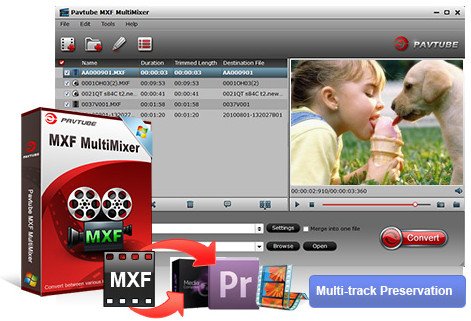
Pavtube MXF MultiMixer is an all-round tool integrating MXF converter, MXF multi audio track/channel preserver and mixer. It is able to import and export MXF video files with multiple audio tracks/channels as well as mixing the multiple audio tracks/channels into one. It also helps convert MXF video files to video formats supported by iDevices, Android devices, Windows devices, HD media players, game consoles, as well as outputting formats for free editing in editing programs such as Avid Media Composer, Sony Vegas and Adobe Premiere, etc.
The built-in video editor provides rich editing functions for you to get a video clip from source MXF video by trimming, cut off black bars affecting visual enjoyment by cropping, inserting subtitles, adding special video effect, etc.
An all powerful conversion tool
1. Output considerable video formats
Pavtube MXF MultiMixer is capable of converting MXF to video formats such as MKV, MP4, AVI, MPEG, WMV, FLV, SWF, F4V, MOV, VOB, etc.
2. Free playback on multiple devices
With the ability to output various video formats, the converted MXF videos can be supported by devices like iDevices, Android devices, Windows devices, HD media players, game consoles, etc.
3. Transcode MXF for editing programs
This app helps transcode MXF to editable formats for editing programs (e.g. Avid Media Composer, Adobe Premiere, and Sony Vegas).
Preserve and mix MXF multiple audio tracks/channels
1. Multi-track preservation
Import multi-track MXF and output MKV/MP4/MOV formats with multiple audio tracks/channels for broadcasting, further editing, and playing.
2. Mix MXF multi audio tracks/channels
You can mix the MXF multi-track/channel audio into one or keep multi-track information before exporting multi-track format videos.
Experience amazing 3D effect
1. 2D to 3D conversion
Convert 2D MXF to 3D video formats in MKV/MP4/MOV/WMV/AVI with Side-by-Side, Top-Bottom, or Anaglyph 3D effect.
2. 3D to 3D conversion
Enjoy 3D MXF video files with true theater entertainment at home cinema.
Adjust settings to personalize MXF
1. Customize MXF video
Adjust parameters such as video size, bitrate, and frame rate for your MXF video files to get better visual and audio effect
2. Split MXF video
Split MXF video into several clips according to clip quantity, duration time and file size.
Release Notes
Support newest NVIDIA CUDA & AMD APP technology to accelerate video encoding/decoding by both H.264 and H.265/HEVC codec.
Note: H.265 CUDA depends on whether your computer is geared up with H.265 encoding capable graphics card.
Homepage
Quick check before we show the links
Helps us keep automated scrapers from hammering the filehosts.