Acquia Dev Desktop 2 (22 November 2015 Release)
This post was published 10 years ago. Download links are most likely obsolete. If that's the case, try asking the uploader to re-upload.
Acquia Dev Desktop 2 (22 November 2015 Release) | 145.0 Mb
Creating and keeping a website alive may seem like an easy task, but it’s not. Multiple hosting environments allow different types of content to be created and accessed, with Drupal being and open-source content management framework which anyone can use. However, you need to use specialized applications like Acquia Dev Desktop in order to upload and manage content.
Install building components you need
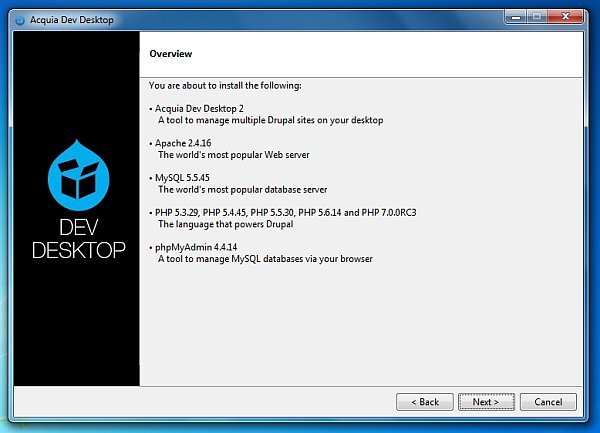
The application aims to help you create such websites on your computer, and even test their functionality locally. The installation comes with distribution packages for Apache, PHP, and MySQL, which are mandatory components for the application’s functionality.
Drupal websites can hold an impressive variety of content, and right after the application gets installed, you need to pick from a large list of components to include, depending on the type of website you want to create. Ranging from Acquia Drupal, which includes core components for building a website, to commerce kickstart, COD, and dkan for governmental use, you only have to select those you need.
Configure databases, and preview your website
The service is started right away, and you need to make sure corresponding Apache, MySQL, and PHP sources and packages are properly configured, so the application can properly stack configuration files. Depending on your project terms, PHP version can also be selected.
You’re free to monitor multiple websites at a time, with the main window enlisting all of them, and also providing quick creation options, either by picking other modules, or importing existing items from your computer. Sure enough, databases need to be already created, but configurations can be handled later on as well.
However, the main window with site enlistment isn’t the only workspace at your disposal. When selecting a site from the list, it’s possible to access its local site address, local code, and database, with quick links that bring up your default web browser for more backend configuration options.
A few last words
All in all, activities quickly got engulfed in the great interactive database, which is the Internet. Applications like Acquia Dev Desktop provide suitable means to upload and create Drupal websites from scratch, with no coding experience involved, given you already have corresponding databases prepared.
New in version 2 (November 22, 2015)
Change:
• Upgraded Drush to version 8.0.0.
Fixed issues:
• When using Acquia Dev Desktop on Windows 8 or Windows 10 computers, operations requiring an Apache restart (such as installing another distribution) would fail. (IN-2259)
• Attempting to clone local Drupal 8 websites displayed the following error and did not complete successfully: Could not get database configuration of the default multisite. drush-sql conf failed. Make sure that your site in the Cloud works correctly with drush. (IN-2302)
• On computers using OS X, if both the RSA and DSA keys are stored in the user's SSH agent, Acquia Dev Desktop failed to complete some operations (including cloning a website). (IN-2305)
OS: Windows XP / Vista / 7 / 8 / 8 64-bit / 10