McAfee Stinger 12.1.0.1825 + Portable (x86/x64)
This post was published 10 years ago. Download links are most likely obsolete. If that's the case, try asking the uploader to re-upload.
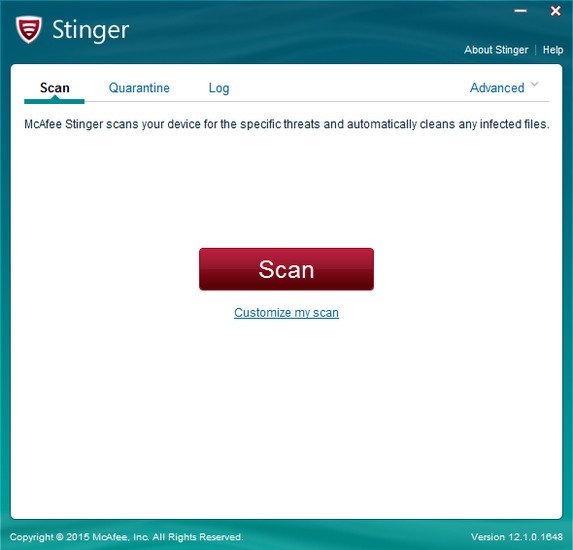
McAfee Stinger 12.1.0.1825 + Portable (x86/x64)| 14.9/14.7/14.9/14.7 Mb
McAfee Stinger is a portable and free application designed to remove malware-infected files from the computer. It scans the hard disk on demand and detects viruses, rootkits, Trojans, worms, and other e-threats. FreeWare Post
Portability advantages
Since there is no setup pack involved, you can drop the executable file anywhere on the hard disk and launch the tool immediately. There is also the possibility to save McAfee Stinger to a pen drive and scan any suspicious computer without installing anything else.
Just keep in mind that the storage device shouldn't be read-only, since the app automatically creates some files when it's running, such as logs with statistics for each scan. An important aspect worth taking into account is that, unlike most installers, McAfee Stinger does not modify Windows registry settings.
Clean and intuitive interface
The GUI is user-friendly, made from a regular window with a neatly organized layout. By default, the application looks only into system areas where viruses are known to hide, such as program files and the Windows directory. However, you may customize the scan and reduce its duration by handpicking a drive or directory.
Identifies and quarantines malware
During scanning you can view the currently verified file, scan time and total files scanned, along with found and cleaned threats. Any suspicions are sent to the quarantine, where you can decide whether to keep or remove the files in question. Log details may be examined in separate files. It is possible to modify the quarantine's default location and include all scanned files in logs.
Evaluation and conclusion
The tool uses moderate RAM and low CPU during scanning, which may take a while, depending on the target's size. However, we have come across some issues in our tests. McAfee Stinger wouldn't take into account the custom locations we assigned for scanning, and kept running in default mode instead.
Nevertheless, users are welcomed to try McAfee Stinger for themselves and figure out if it's a suitable on-demand virus scanner for them. Just keep in mind that it does not provide real-time protection against malware, so you still have to install an all-round antivirus application to keep the PC safe at all times.
New in version 12.1.0.1825
New Detections:
• Trojan-Dridex
• W32/Victy.worm
Enhanced Detections:
• Generic Trojan.j
• VBS/Autorun.worm.k
• W32/CoinMiner.d
Installer x32/x64
[hide] https://userscloud.com/bycn3zy156nl
https://userscloud.com/jr8e9fqj0ojq
http://ul.to/nb619v4y
http://ul.to/oht74l0j
https://dailyuploads.net/sag15jy05avu
https://dailyuploads.net/2gh08826kizs
http://www.nitroflare.com/view/741F60E9708CB54
http://www.nitroflare.com/view/9C39DFA237F962D
Potable x32/x64
[hide] https://userscloud.com/42ml2xg4y7m0
https://userscloud.com/8exhukmetz6w
http://ul.to/0dkm0l9o
http://ul.to/yfm0cjfn
https://dailyuploads.net/osg92gkhujlk
https://dailyuploads.net/vvjhwhto7c2o
http://www.nitroflare.com/view/6CC08BAAF4ACF34/stinger32-epo.zip
http://www.nitroflare.com/view/B5D92A2DB4E81CB[/hide]