Visual Studio Code 0.10.1
This post was published 10 years ago. Download links are most likely obsolete. If that's the case, try asking the uploader to re-upload.
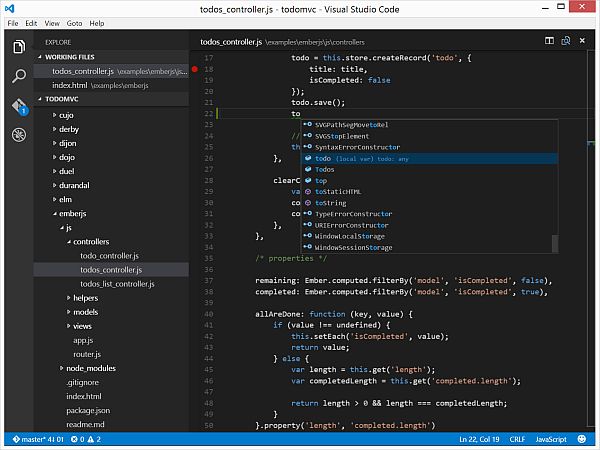
Visual Studio Code 0.10.1 | 42.2 Mb
Visual Studio Code is a powerful IDE, dedicated to building Web applications and cloud programs. The tool is a lightweight and resembles the functionality of Visual Studio, however it features comprehensive revision and compiling utilities, packed in a modern looking interface.
Lightweight program, reliable programming tools
One of Visual Studio Code’s remarkable features is the Git control capabilities, that the program offers you. It facilitates the testing, building, packaging and even the deployment of various types of software.
You may create several tasks within Visual Studio Code, save them in the desired project and quickly configure it, by establishing the proper arguments. You can use the sample snippets, as well as generate your own code fragments, that you can later save.
It can export projects as text files and it works with multiple programming language, including C#, C++, Clojure, F#, HTML, JSON, JAVA , Lua, PHP, Perl, Python, SQL, Visual Basic, XML and others. Moreover, the program supports development in Node.js and ASP.NET.
Git support and debugging features
Visual Studio Code’s intuitive GUI allows you to open several instances at the same time and features a flexible working space, that can be split in two. This feature facilitates the code comparison, allowing you to visually identify issues.
The powerful searching engine allows you to find components, files, programs or any item that matches the name. The Git function allows you to work with a repository, via the dedicated local folder. You can access all the available Git features by opening the repository’s root.
The program also features a debugging function, designed to help you monitor variables and components. You may also control the Call Stack feature an define breakpoints.
Quickly compile the programs you loaded
Visual Studio Code supports the usage of snippets, a feature that can help you significantly reduce the time spent writing code. You may easily launch the loaded application or attach the selected code to the main script. The program is customizable, allowing you to modify several settings, from the layout of the workspace, to HTTP, Search or CSS configuration.
New in version 0.10.1 (November 18, 2015)
• VS Code Supports Extensions
• Extension Gallery
• Extension samples
• VS Code is Open Source
• Add TextMate Snippets
• Improved Syntax Highlighting
• Environment Variable Substitution
• New Difference View Settings
Language:
• PHP
Extensibility SDK:
• Yo Code Extension Scaffolding
• Extension Publishing
Languages:
• Workspace relative TypeScript version
Debugging:
• Debug Console Improvements
• Easy Variable Selection
• Debug environment configuration
• Hover
• Node.js
OS: Windows 8 / 8 64-bit / 10 / 10 64-bit