Virtual Drive Utilities Software RSS Reupload Requests 31
-
File Size: 558.6 MB / 2.3 GB
BlueStacks is an easy to use and powerful App Player which is designed to run Android OS and apps on Windows PCs with instant switch between Android and Windows. No reboot is required. End consumers can now enjoy their favorite Android apps on Windows PCs. Android apps can appear either as icons on the Windows desktop, or within a full-blown Android environment. BlueStacks helps PC manufacturers to ride the Android momentum by enabling Android apps on x86-based tablets, netbooks, notebooks, convertibles and AiO Windows PCs.
-
VirtualBox v7.0.12 Extension Pack Freeware
File Size: 17.40 MiB | Languages: English, Deutsch, ...
VirtualBox Extension Pack gives VirtualBox additional support for USB devices, remote desktop, host webcam passthrough, network boot, disk image encryption, cloud integration features, etc.
-

File Size: 723.6 MB
MEmu is an Android emulator that specializes in video games. With MEmu you can enjoy many exclusive titles that you can find for the Android platform, directly on your computer. You don't need to adjust any complicated settings and configure the controls, just install it and start playing. With MEmu, you can install Android games quite easily, simply click the APK button on the right side of the interface, select the APK of the game you want to install, and wait. It really is that easy.
-
File size: 2.6 MB
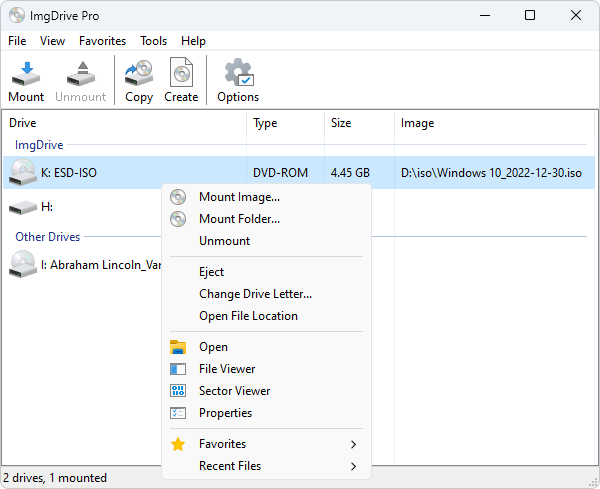
ImgDrive is a lightweight virtual CD/DVD/Blu-ray drive that enables to emulate up all popular image types of CD, DVD and Blu-ray Discs to drives.
-
File size: 608 MB
VMware Workstation Pro is the industry standard for running multiple operating systems as virtual machines (VMs) on a single Linux or Windows PC. IT professionals, developers and businesses who build, test or demo software for any device, platform or cloud rely on Workstation Pro. Workstation Pro Delivers a Data Center in Your Laptop.
-
File Size: 558.6 MB / 2.3 GB
BlueStacks is an easy to use and powerful App Player which is designed to run Android OS and apps on Windows PCs with instant switch between Android and Windows. No reboot is required. End consumers can now enjoy their favorite Android apps on Windows PCs. Android apps can appear either as icons on the Windows desktop, or within a full-blown Android environment. BlueStacks helps PC manufacturers to ride the Android momentum by enabling Android apps on x86-based tablets, netbooks, notebooks, convertibles and AiO Windows PCs.
-
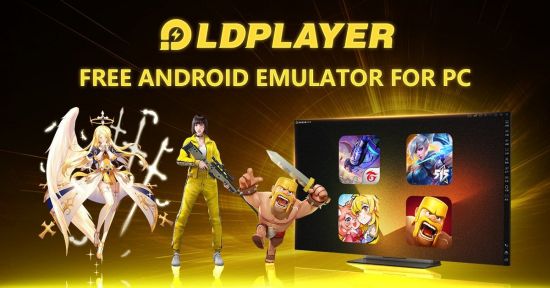
File size: 646 MB
LDPlayer is an Android 5.1 emulator that enables you to access mobile applications and play games using your mouse and keyboard. Whether you are looking for a simple way to debug the apps you are developing for mobiles or perhaps, you would like to enjoy Android-specific games on a larger screen, there are numerous reasons why an emulator could come in handy.
-
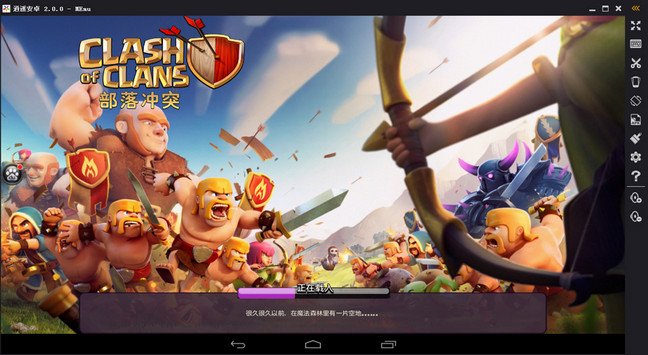
File size: 730 MB
MEmu is an Android emulator that specializes in video games. With MEmu you can enjoy many exclusive titles that you can find for the Android platform, directly on your computer. You don't need to adjust any complicated settings and configure the controls, just install it and start playing. With MEmu, you can install Android games quite easily, simply click the APK button on the right side of the interface, select the APK of the game you want to install, and wait. It really is that easy.
-
BlueStacks 5.13.0.1076 Multilingual Freeware
File Size: 551.2 MB / 2.3 GB
BlueStacks is an easy to use and powerful App Player which is designed to run Android OS and apps on Windows PCs with instant switch between Android and Windows. No reboot is required. End consumers can now enjoy their favorite Android apps on Windows PCs. Android apps can appear either as icons on the Windows desktop, or within a full-blown Android environment. BlueStacks helps PC manufacturers to ride the Android momentum by enabling Android apps on x86-based tablets, netbooks, notebooks, convertibles and AiO Windows PCs.
-
File size: 645 MB
LDPlayer is a free Android emulator for PC users playing Android games easily on Windows. Based on Android 5 and 7, it supports a wide range of compatibility in running high-performance, high-graphic mobile games on PC.
-
File Size: 551.2 MB / 2.3 GB
BlueStacks is an easy to use and powerful App Player which is designed to run Android OS and apps on Windows PCs with instant switch between Android and Windows. No reboot is required. End consumers can now enjoy their favorite Android apps on Windows PCs. Android apps can appear either as icons on the Windows desktop, or within a full-blown Android environment. BlueStacks helps PC manufacturers to ride the Android momentum by enabling Android apps on x86-based tablets, netbooks, notebooks, convertibles and AiO Windows PCs.
-
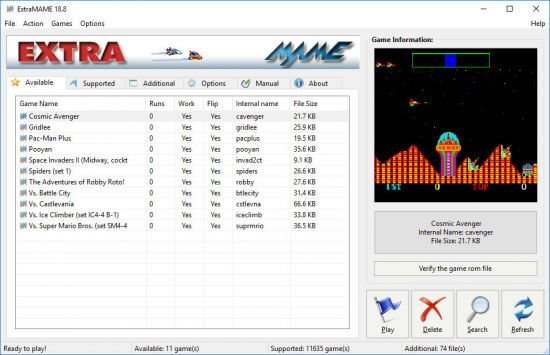
File size: 159 MB
Is a small MS Windows compatible game GUI wrapper for MAME, the Multiple Arcade Machine Emulator authored by Nicola Salmoria and the MAME team. MAME let's you play thousands of old-school arcade games on your computer. ExtraMAME is smaller and easier to use. It doesn't force you to fuss with difficult configurations and it's compatible with all MAME games.
-
Android Studio 2022.3.1.19 (x64) Freeware

File size: 1.0 GB
Mobile devices are now a common companion in daily activities, even in entertainment. Android Studio is an Integrated Development Editor developed by Google for the Android platform, comprising everything that a programmer needs in order to design and test Android applications. Tool for creating, testing, and building
-
File size: 724 MB
MEmu is an Android emulator that specializes in video games. With MEmu you can enjoy many exclusive titles that you can find for the Android platform, directly on your computer. You don't need to adjust any complicated settings and configure the controls, just install it and start playing. With MEmu, you can install Android games quite easily, simply click the APK button on the right side of the interface, select the APK of the game you want to install, and wait. It really is that easy.
-
File size: 0.5/2.4 GB
BlueStacks is an easy to use and powerful App Player which is designed to run Android OS and apps on Windows PCs with instant switch between Android and Windows. No reboot is required. End consumers can now enjoy their favorite Android apps on Windows PCs. Android apps can appear either as icons on the Windows desktop, or within a full-blown Android environment. BlueStacks helps PC manufacturers to ride the Android momentum by enabling Android apps on x86-based tablets, netbooks, notebooks, convertibles and AiO Windows PCs.
-
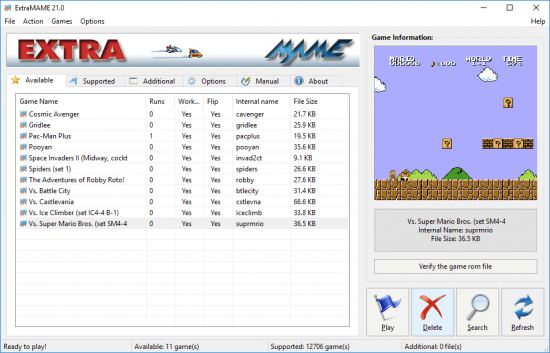
File Size: 128.8 MB
Is a small MS Windows compatible game GUI wrapper for MAME, the Multiple Arcade Machine Emulator authored by Nicola Salmoria and the MAME team. MAME let's you play thousands of old-school arcade games on your computer. ExtraMAME is smaller and easier to use. It doesn't force you to fuss with difficult configurations and it's compatible with all MAME games.
-

File size: 17.7 GB
VMware Aria Suite (vRealize Suite) and vCloud Suite deliver a self-service consumption layer, an automation framework and self-driving Day 2 operations for VMware Cloud and beyond.
-

File size: 8.2 GB
Gain centralized visibility, simplified and efficient management at scale, and extensibility across the hybrid cloud—all from a single console. VMware vCenter Server is advanced server management software that provides a centralized platform for controlling your VMware vSphere environments, allowing you to automate and deliver a virtual infrastructure across the hybrid cloud with confidence.
-

File size: 567 MB
Discover a robust, bare-metal hypervisor that installs directly onto your physical server. With direct access to and control of underlying resources, VMware ESXi effectively partitions hardware to consolidate applications and cut costs. It’s the industry leader for efficient architecture, setting the standard for reliability, performance, and support.
-
File Size: 554.9 MB / 2.3 GB
BlueStacks is an easy to use and powerful App Player which is designed to run Android OS and apps on Windows PCs with instant switch between Android and Windows. No reboot is required. End consumers can now enjoy their favorite Android apps on Windows PCs. Android apps can appear either as icons on the Windows desktop, or within a full-blown Android environment. BlueStacks helps PC manufacturers to ride the Android momentum by enabling Android apps on x86-based tablets, netbooks, notebooks, convertibles and AiO Windows PCs.