Be Focused Pro 1.7 Multilingual macOS
This post was published 8 years ago. Download links are most likely obsolete. If that's the case, try asking the uploader to re-upload.
Compatibility: OS X 10.9 or later 64 bit |File size: 21 MB
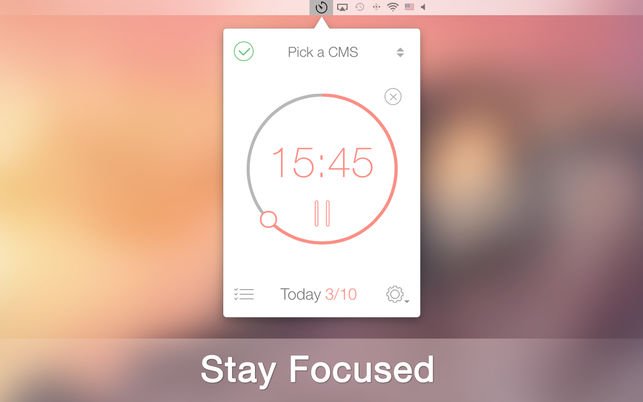
Staying on task seems is a real challenge for our screen-bound generation. The Be Focused lets you get things done by breaking up individual tasks among discrete intervals, separated by short breaks. It’s a surprisingly effective way to retain motivation and focus. Create tasks, configure breaks and track your progress throughout the day, week or custom period. Use either your iPhone, iPad or Mac – your devices always stay in sync.
Key features
- Manage your tasks
- Track your progress throughout the day, week or custom period
- Fast and easy goal tracking
- Customize to maximize productivity:
• Work interval duration
• Short break duration
• Long break duration
• Number of intervals between long breaks
• Target number of intervals per day
- Ability to start, pause, or skip work interval
- Auto-start the next timer (option)
- Ability to edit the number of intervals
- Ability to view the amount of skipped intervals
- Pie Chart reports for better estimation how much time was spent on a certain task
- Export to a CSV file
- Ability to paste a task list from other applications
- Global hotkeys
- Optional ticking sound
- Ability to change the frequency of the Chronometer sound
- Wide range of alarm sounds
- Ability to adjust the volume of the Chronometer sound
- Ability to adjust the volume of notifications
- Launch at startup option
- Syncs between iPad, iPhone and Mac*
- Also available for iPhone and iPad
* Sync with iOS devices requires Be Focused Pro for iOS, sold separately.
What's New
• Added the ability to adjust the volume of notifications
• Added the ability to change volume and frequency of the Chronometer sound
• Added the ability to turn off the Chronometer sound for breaks
• New Work Completed / End Break sounds added
• Added the ability to view the amount of skipped intervals for the preferred period to the Reports
• Added a "Pie Chart" to the Reports, which allows to estimate how much time was spent on a certain tasks
• Added the ability to change account password
• Multiple fixes and improvements
Homepage
Quick check before we show the links
Helps us keep automated scrapers from hammering the filehosts.