Reimagine Remote Working with Microsoft Teams: A practical guide to increasing your productivity and enhancing collaboration
This post was published 3 years ago. Download links are most likely obsolete. If that's the case, try asking the uploader to re-upload.
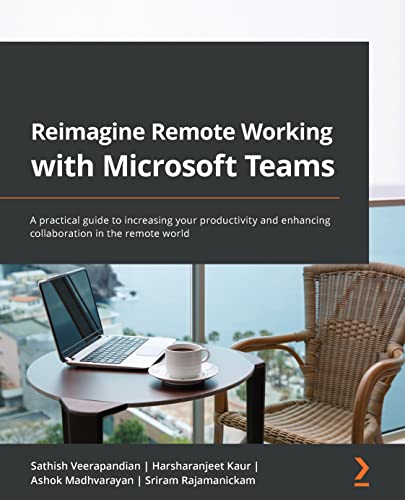
English | 2021 | ISBN: 1801814163 | 426 pages | True PDF EPUB | 64.75 MB
Get a 360-degree view of Teams as a secure collaboration tool with best practices and recommendations for using Teams efficiently
Key Features
Master and manage virtual meetings easily using Teams
Understand the essential security and administration aspects of Microsoft Teams
Communicate and collaborate effectively with your colleagues using Teams and M365 apps such as Sway, Yammer, and Stream
Book Description
The outbreak of the pandemic has forced the world to embrace remote working and the modern style of virtual business. However, end users may find it challenging to cope with this sudden change in working style, not aware of all the features and remote working tools available to make their life easy. Microsoft Teams is an exceptional platform, adopted by many organizations for unified communication and collaboration, and this book will help you to make the most of its capabilities.
Complete with step-by-step explanations and screenshots, this book guides you through the topics that you'll find useful in your daily use of Teams. You'll learn how to manage your teams and projects with Microsoft Teams in a structured and organized way. The book provides hands-on information with a focus on the end user side to help corporate users to increase productivity and become a Microsoft Teams superuser. Finally, you'll explore the most effective ways of using the app with best practices and tips and tricks for making the most of the features available for your scenario.
By the end of this Microsoft Teams book, you'll have mastered Microsoft Teams and be fully equipped as a modern collaboration end user to effectively increase your remote work productivity.
What you will learn
Find out how to secure your documents and data with Microsoft's security
Improve your organization's productivity and engagement with Microsoft Teams
Integrate Teams with other Office 365 apps such as SharePoint, OneNote, and OneDrive
Automate your regular tasks with easy end-user automation options
Discover best practices and etiquettes for using Teams efficiently and effectively
Explore tips and tricks from expert MVP and Microsoft Certified Trainer (MCT) authors
Who this book is for
This book for anyone who wants to improve their day-to-day productivity using Microsoft Teams. Anyone with access to Office 365 apps will find this book useful irrespective of their designations. Fundamental knowledge of Microsoft Office 365 Applications is required.
Table of Contents
Managing Meetings in Teams
Project Management in Teams
Workforce Management in Teams
Managing Collaboration in Teams
Managing Communication in Teams
Organize Virtual Events
User and Data Security
Teams Etiquette and Best Practices
End User Automation
Productivity Tips and Tricks
Quick check before we show the links
Helps us keep automated scrapers from hammering the filehosts.
For those who may have missed recent events: the switch to premium-only links on Nitroflare was not a decision made by the site administration or the post uploaders. This change was implemented by the file hosting service itself.
We know many of our regular users still use Nitroflare and have active subscriptions, so we won't be removing it. However, we do plan to update our posting rules for uploaders in the near future to better adapt to the situation.
Thank you for your understanding and continued support.