Windows 10 - Media Creation Tool - Build 10586/Version 1511
This post was published 10 years ago. Download links are most likely obsolete. If that's the case, try asking the uploader to re-upload.
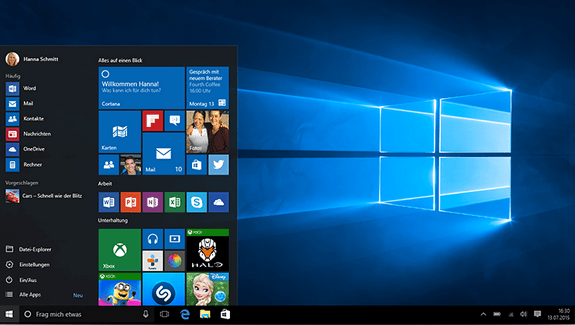
Windows 10 - Media Creation Tool - Build 10586/Version 1511 | 17.5 MiB
With Windows 10 Media Creation Tool you can download the newest Windows 10 Home or Pro edition and create a ISO, USB stick or DVD for installation.
Need to create a USB, DVD or ISO?
If you need to install or reinstall Windows 10 using a USB or DVD, you can use the Media Creation Tool to create your own installation media with either a USB flash drive or a DVD. The tool provides file formats optimized for download speed and can be used to create ISO files.
Choose Windows 10 Home if you have Windows 7 Starter, Windows 7 Home Basic, Windows 7 Home Premium, Windows 8/8.1, Windows 8.1 with Bing.
Choose Windows 10 Pro if you have Windows 7 Professional, Windows 7 Ultimate, Windows 8/8.1 Pro, Windows 8/8.1 Professional with Media Center.
Make sure you have sufficient data storage (32-bit: 2.82 GB, 64-bit: 3.74 GB) available on a computer, USB or external drive for the download and a blank USB or DVD with at least 4 GB of space if you want to create media.
Check this on the computer where you want to install Windows 10: 32-bit or 64-bit processor (CPU). You’ll create either the 32-bit or 64-bit version of Windows 10 that’s appropriate for your CPU. To check this on your computer, go to PC info in PC settings or System in Control Panel, and look for System type.
Changes in Build 10586/Version 1511: various bug fixes and some new features.
Device activation improvements: We have received a lot of feedback on making it easier to activate Windows 10 on devices that take advantage of the free upgrade offer to genuine Windows by using existing Windows 7, Windows 8 or Windows 8.1 product keys. If you install this build of the Windows 10 on a computer and it doesn’t automatically activate, you can enter the product key from Windows 7, Windows 8 or Windows 8.1 used to activate the prior Windows version on the same device to activate Windows 10 by going to Settings > Update & security > Activation and selecting Change Product Key. If you do a clean install of Windows 10 by booting off the media, you can also enter the product key from prior Windows versions on qualifying devices during setup.
Languages: English, Deutsch, Español, Italiano, Português, Français, Русский, ...
Download: direct download link