RawTherapee 5.1.0 + Portable
This post was published 9 years ago. Download links are most likely obsolete. If that's the case, try asking the uploader to re-upload.
File size: 122 Mb
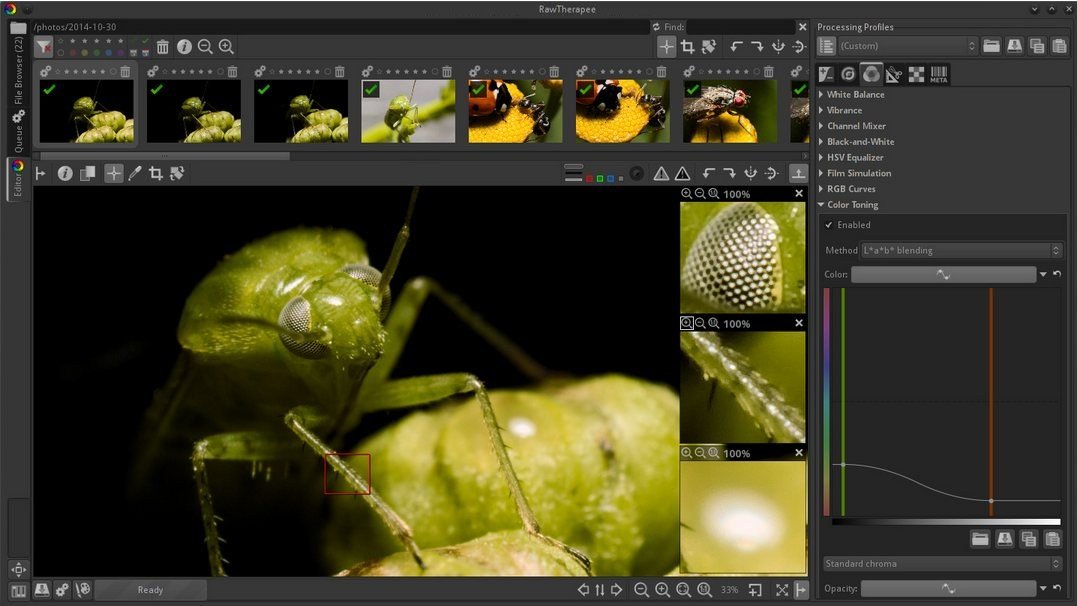
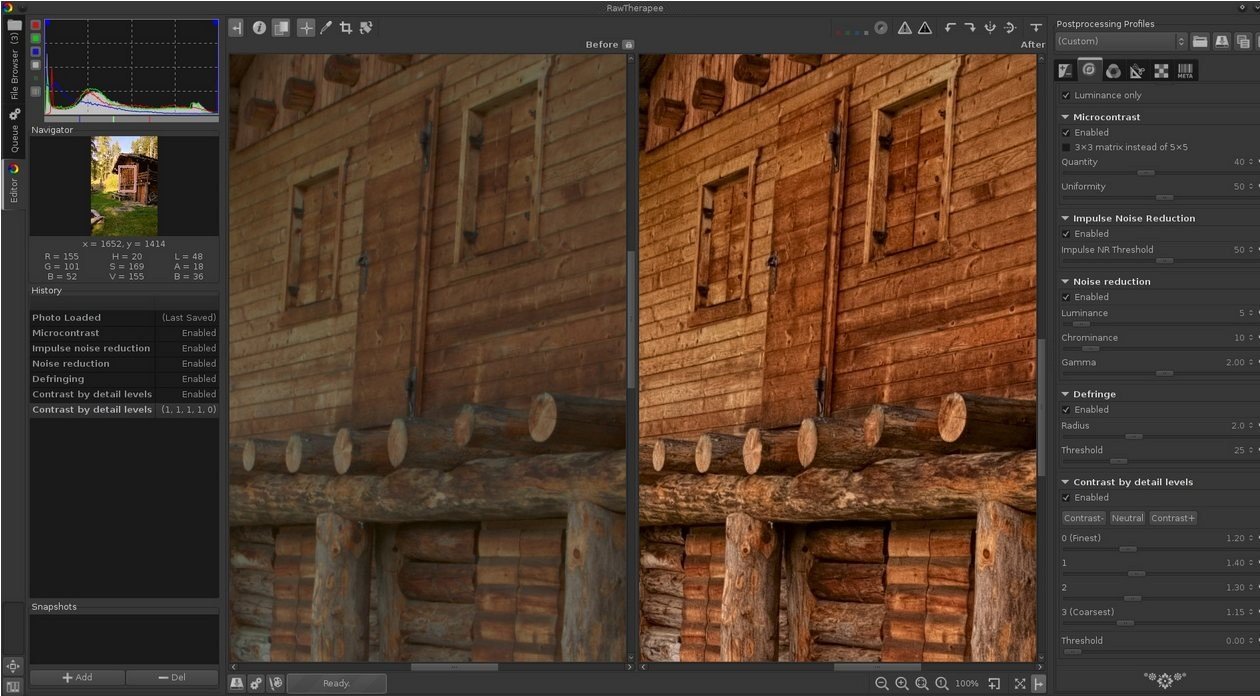
RawTherapee is a powerful graphics editor with many features and options for photo processing, which supports, among other things, the RAW-format digital cameras. The program has a fairly rich image editing tool that makes it one of the best for professional photo processing, adequately competing with Lightroom application.
Is there color correction, noise reduction, rotation, exposure control, the change of light and shadow, tone setting, vignetting, processing EXIF-data capture, crop, white balance, and much more. If you want to edit a large number of photos of a batch mode is provided.
Features
- High Image Quality
* 96 bits (floating point) processing engine
* Non destructive editing
* Get the most details and least artifacts from your raw photos thanks to modern and traditional demosaicing algorithms: AMaZE, DCB, fast, AHD, EAHD, HPHD, IGV, LMMSE & VNG4.
* Advanced color handling from white balance to HSV (Hue-Saturation-Value) curves and color management.
* Powerful CIE Color Appearance Model 2002 (CIECAM02) module
* Enhanced exposure and tonality tools: tone and Lab curves, highlights and shadows tools, tone mapping (HDR-like effect), etc.
* Multiple denoising methods: luminance, chrominance (both rewritten in 2012), impulse (for salt and pepper noise) noise reduction.
* Several tools to enhance details: unsharp mask, RL deconvolution, contrast by detail levels.
- Efficiency
* Multi-threaded algorithms for high performance (RawTherapee can utilize modern processor features, like SSE).
* Quick thumbnails load lightning fast and are replaced later with live thumbnails.
* Batch processing: convert all the developed images at once without loading the processor while you work.
* Copy/paste editing parameters from one file to many other. Partially copying and/or pasting is also possible.
* Basic tools immediately at your hands.
* Parallel editing of multiple images in separate editor tabs, and/or all at once from the file browser.
* An optional secondary display can be used.
- Versatility
* Wide variety of supported cameras: almost all DSLRs and even some medium format bodies are supported.
* Can load DSLR's raw file, as well as standard Jpeg, Png (8/16 bits), and Tiff files, (8/16 bits + 32 bits 'logluv' format) ; can write Jpeg, Png (8/16 bits) or Tiff files (8/16 bits)
* Advanced control over the algorithms with many fine-tuning parameters and curves.
* Can send to Gimp or the editing tool of your choice in one click (16 bits Tiff file).
* Command line usage besides the normal graphical interface.
* Various layouts: multiple tabs, single tab with filmstrip, vertical tab with filmstrip, dual monitor.
- Freedom for Free
* RawTherapee is free and open source software, meaning you can use it free of charge, wherever you like on whatever hardware you like, as long as you abide by the copyleft GPLv3 license. Download the source code, modify it, feel free to do what comes to mind. We believe in open software.
* It is cross-platform: Linux, Mac, or Windows, be it 32-bit or 64-bit - you pick, we provide.
* International: it is available in 25 languages!
Supported Operation Systems
- Windows 10, 8.1, 8, 7, Vista (64-bit)
Screenshots
RELEASE NOTES
This is RawTherapee 5.1 stable
RawTherapee provides you with a selection of powerful tools with which you can practice the art of developing raw photos. Be sure to read RawPedia to understand how each tool works so that you may make the most of it.
A great place to start is the "Getting Started" article. Click on "Main page" in the top-left corner when you have finished reading that article to see all other articles.
News Relevant to Photographers
- RawTherapee supports most raw formats, including some unusual ones like those from cameras using Foveon and X-Trans sensors. If you're wondering whether it supports your camera's raw format, first download RawTherapee and try for yourself. If a raw format is not supported it will either not open, or the preview in the Editor tab will appear black, white, or have a strong color cast - usually magenta. In that case, read the "Adding Support for New Raw Formats" RawPedia article.
In order to use RawTherapee efficiently you should know that:
- You can scroll all panels using the mouse scroll-wheel.
- You can right-click on a tool's name to automatically expand it while collapsing all others.
- To change slider values or drop-down list items with the mouse scroll-wheel, hold the Shift key. This is so that you can safely scroll the panels without accidentally changing a slider or other tool setting.
- All curves support the Shift and Ctrl keys while dragging a point. Shift+drag makes the point snap to meaningful axes (top, bottom, diagonal, other), while Ctrl+drag makes your mouse movement super-fine for precise point positioning.
- There are many keyboard shortcuts which make working with RawTherapee much faster and give you greater control. Make sure you familiarize yourself with them on RawPedia's "Keyboard Shortcuts" page!
New features since 5.0:
- Pentax Pixel Shift support, to automatically combine sub-images from a Pentax Pixel Shift raw file into one high quality image.
- Support for processing any sub-image from raw formats which support multiple images. Currently up to 4 sub-images supported.
- Dynamic Profile Creator to automatically generate per-image custom processing profiles by merging existing processing profiles based on image metadata (Exif).
- New command-line executable "rawtherapee-cli(.exe)" to reduce startup time for command-line operations.
- HaldCLUT paths are now relative to the HaldCLUT folder as set in Preferences. This enables you to share PP3 files easier.
- Auto White Balance now has a Temperature Bias, letting you make the automatic temperature warmer or cooler.
- LCP correction works for raw and non-raw files.
- LCP distortion correction support for fisheye lenses.
- Certain tools are now hidden or disabled if the loaded image does not support them, e.g. the tools in the Raw tab are disabled when working with a non-raw file.
- New zoom levels for the main preview in the Editor tab.
- New Fast Export option to downscale the image before processing, to increase speed.
- Custom crop ratio.
- Automatic monitor profile detection also in Linux.
- Lens information support added for Panasonic cameras.
- Support for lossy DNG files.
- Support for compressed Fujifilm Bayer raw files.
- Support for compressed X-Trans raw files.
- Support for Sigma sd Quattro DNG raw files.
- Added DCP profiles for accurate color for:
- FUJIFILM X100S
- LG Mobile LG-H815 (LG G4)
- NIKON D300
- NIKON D300
- NIKON D5600
- NIKON D80
- NIKON D810
- OLYMPUS E-M1MarkII
- Panasonic DMC-GX85
Homepage
Quick check before we show the links
Helps us keep automated scrapers from hammering the filehosts.